

Git and Github for beginners
Git & Github
Feb 17, 2025
Git & Github
Feb 17, 2025
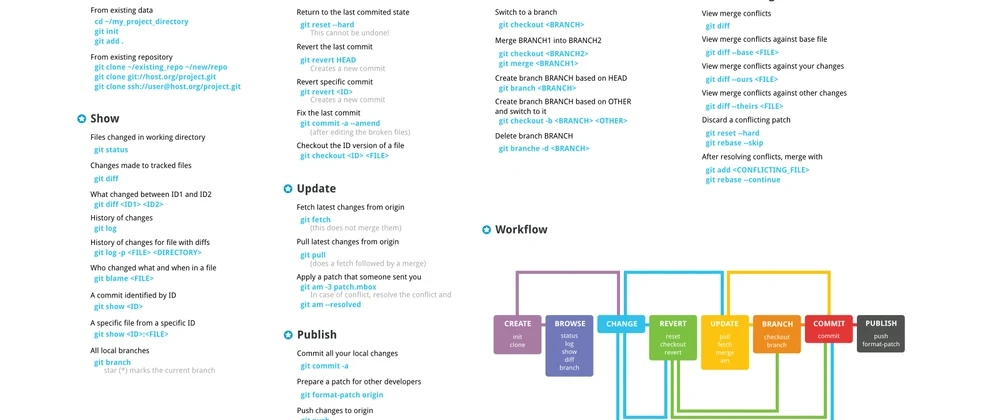
Git and GitHub are essential tools in modern software development. They allow developers to manage different versions of their code, collaborate effectively, and maintain a streamlined workflow.
Git is a distributed version control system (VCS) that helps developers track changes in their codebase, collaborate efficiently, and manage project versions. The term "distributed" means that each developer has a complete copy of the project repository, allowing them to work independently and merge changes when needed.
Version Control: Track and revert changes in your project.
Collaboration: Multiple developers can work on the same project without conflicts.
Branching & Merging: Developers can create separate branches for features and merge them into the main project.
Offline Access: Work on your code without an internet connection.
GitHub is a web-based platform built on Git that provides a space for developers to store, manage, and share code. It enhances Git by offering a graphical interface, project management tools, and collaboration features.
Repositories (Repos): Store your project files and history.
Branching & Merging: Create branches for new features and merge them after review.
Pull Requests: Submit code changes for review before merging.
Issues & Project Management: Track bugs and tasks.
GitHub Actions: Automate workflows like testing and deployment.
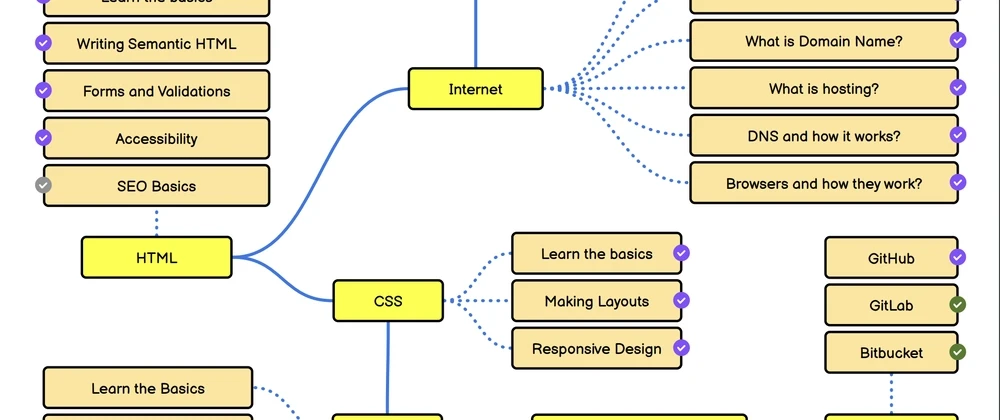
Other alternatives to GitHub include Bitbucket and Gitlab.
Git Bash is a command-line interface (CLI) that enables interaction with Git. It is especially useful for Windows users as it provides a Unix-like terminal for executing Git commands.
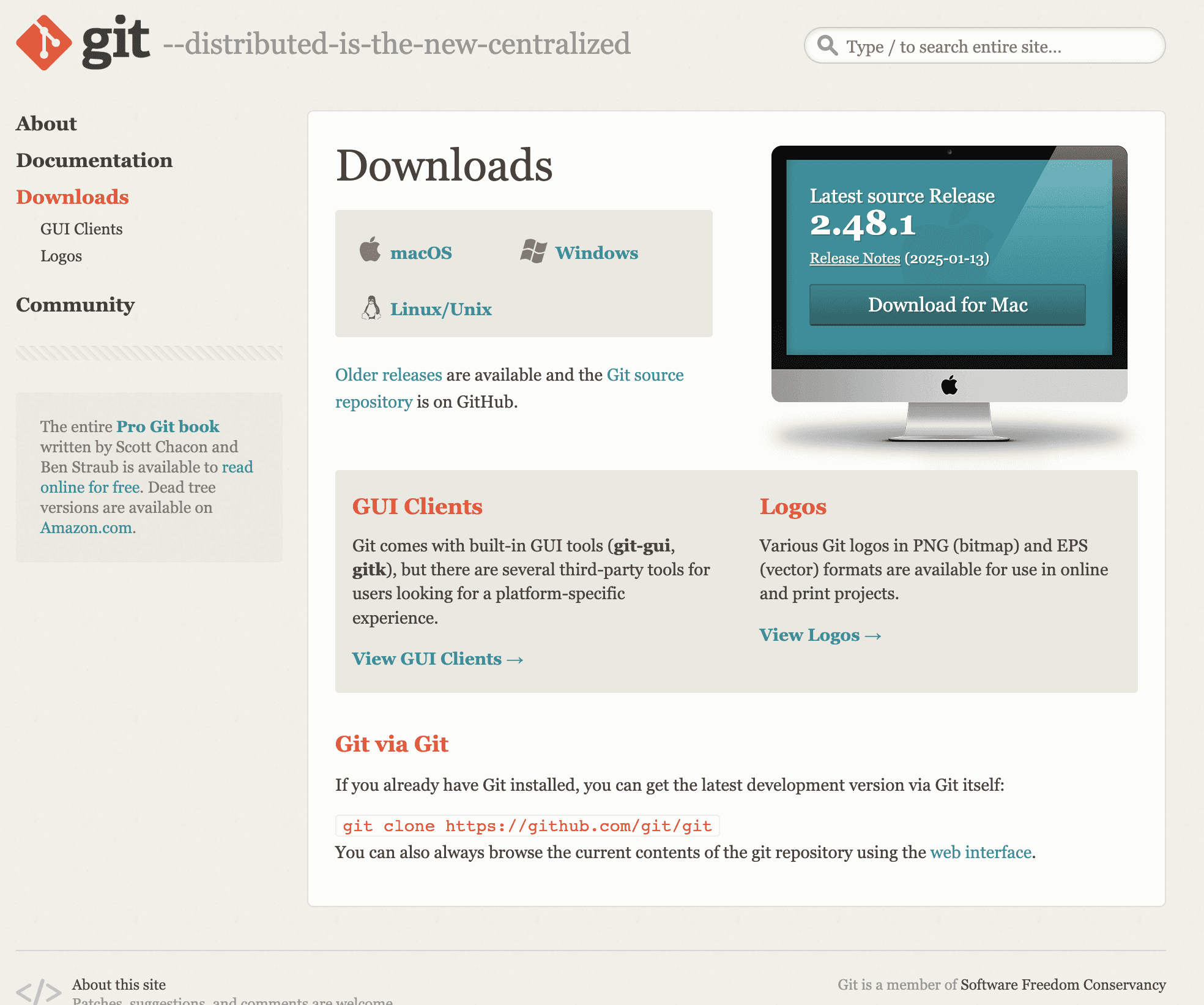
To start using Git, you need to install it on your local machine.
You can download Git here. Ensure to choose based on your operating system.
Once installed, configure Git with your name and email:
This associates your commits with your identity.
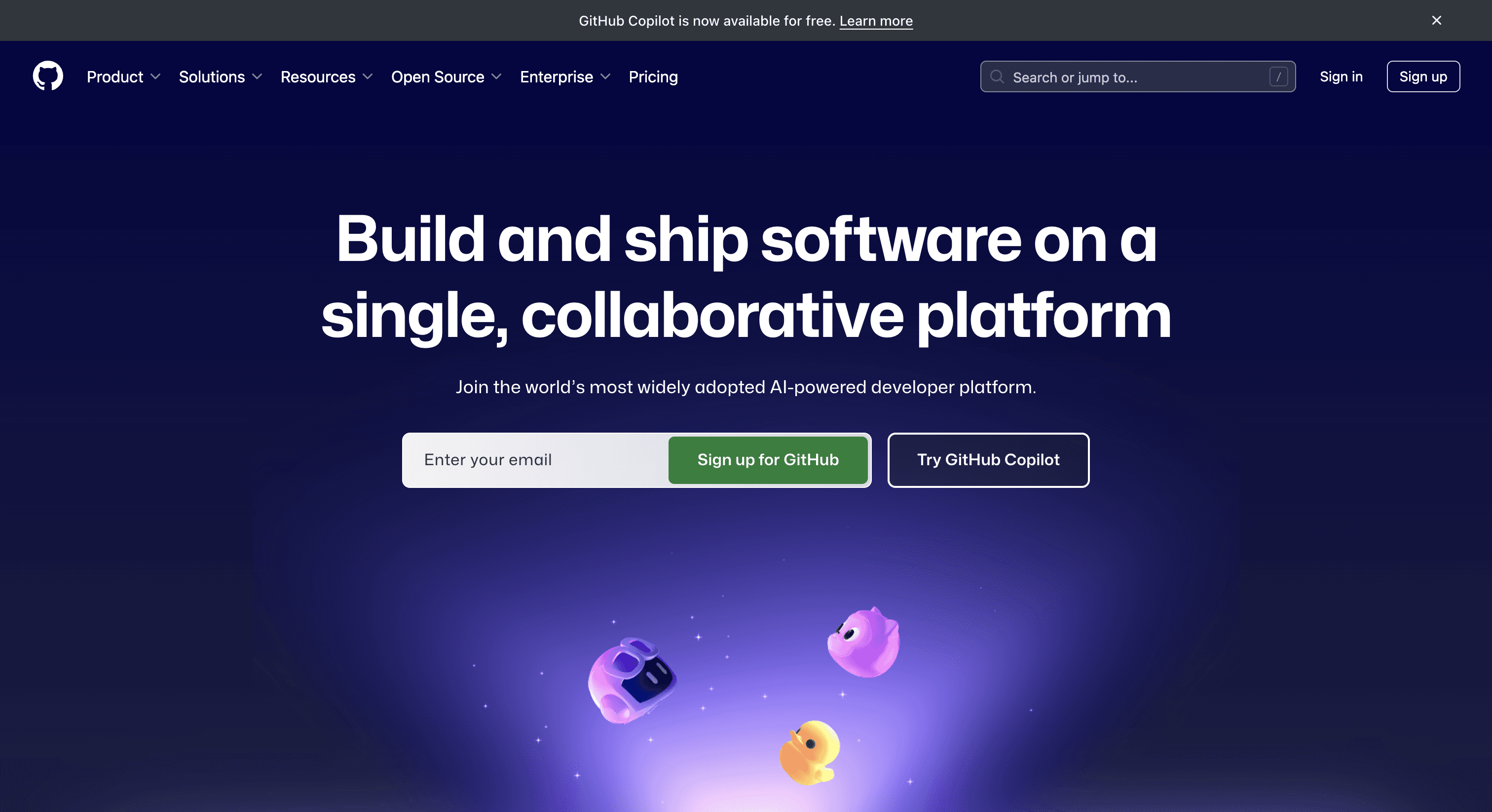
Go to GitHub enter the same email you configured above then click on the Sign up for GitHub button.
a. Log in to GitHub.
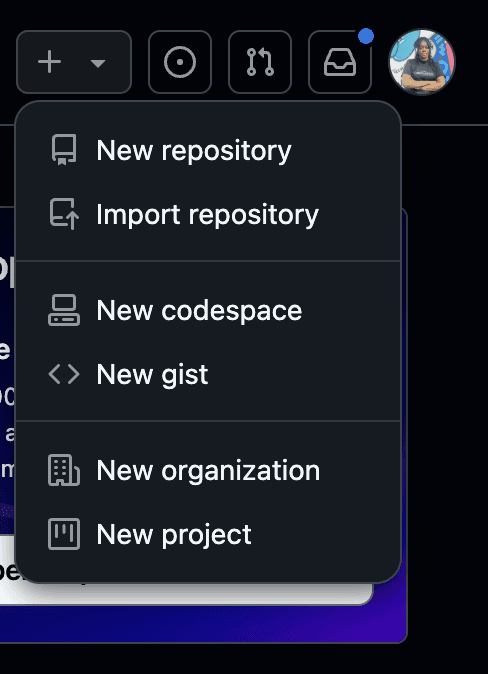
b. Click the "+" icon and select New repository.
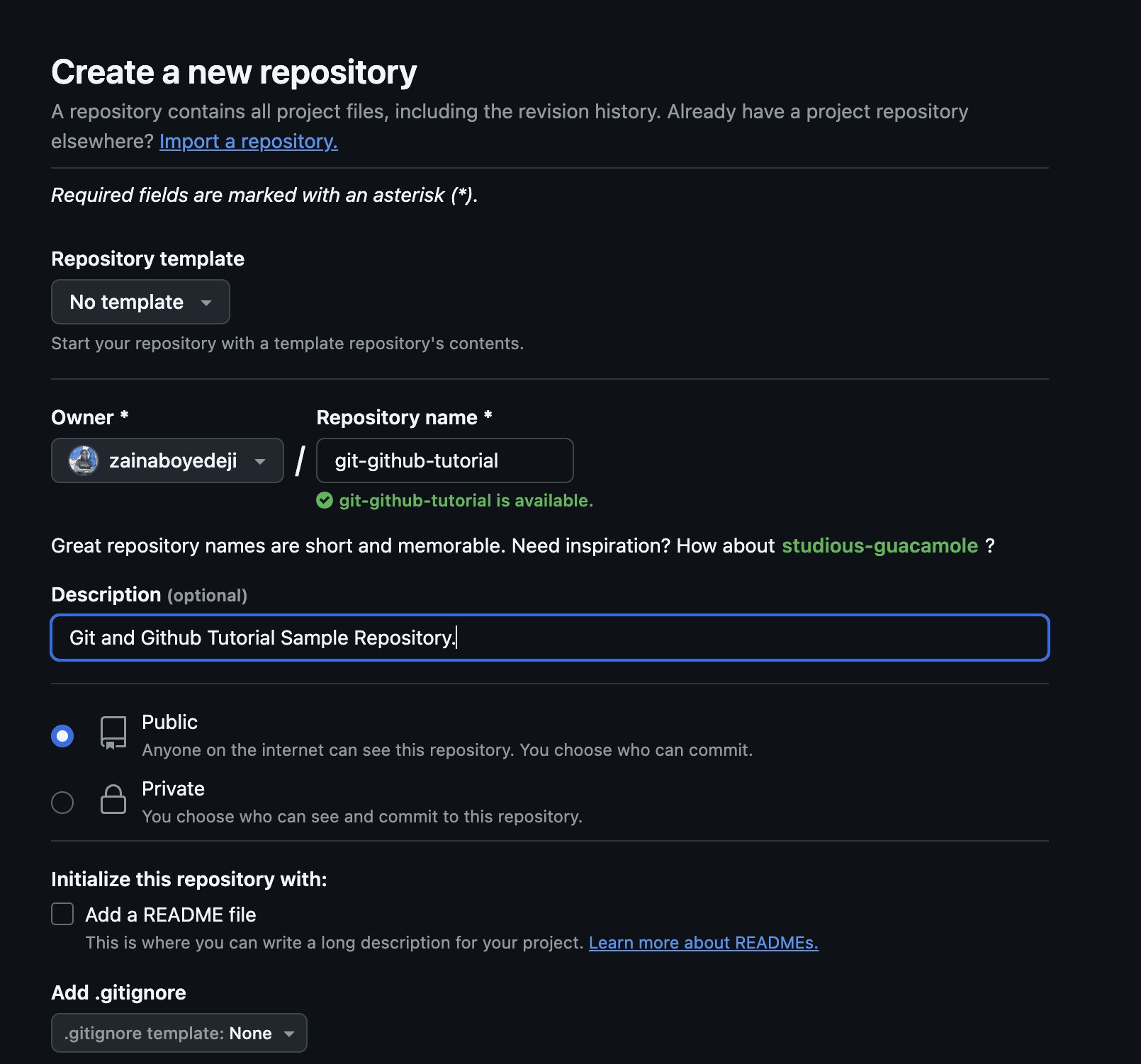
c. Enter a repository name, a description (optional), and choose the visibility (public or private).
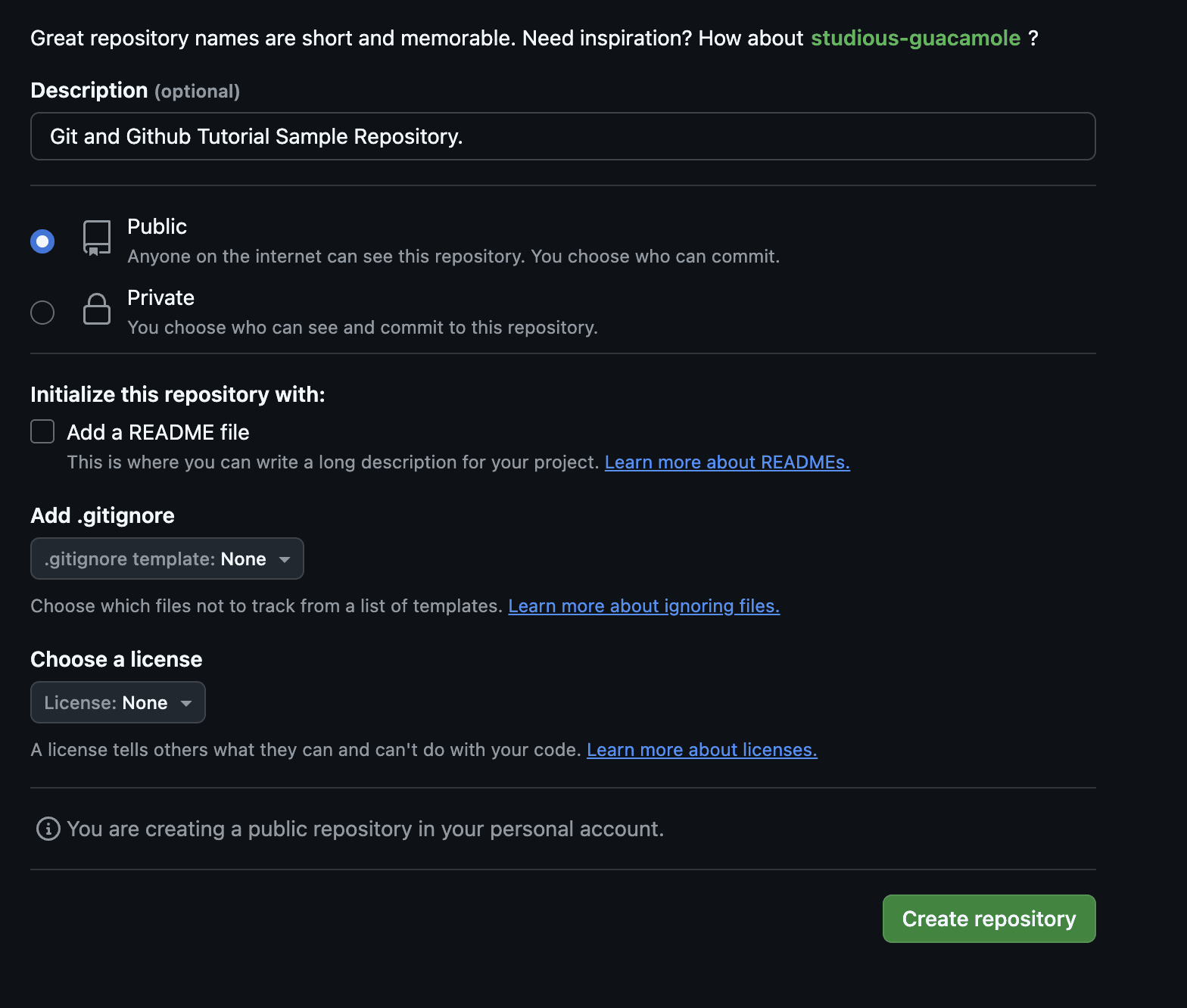
d. Click Create repository.
e. After creating a repository, you are directed to this page.
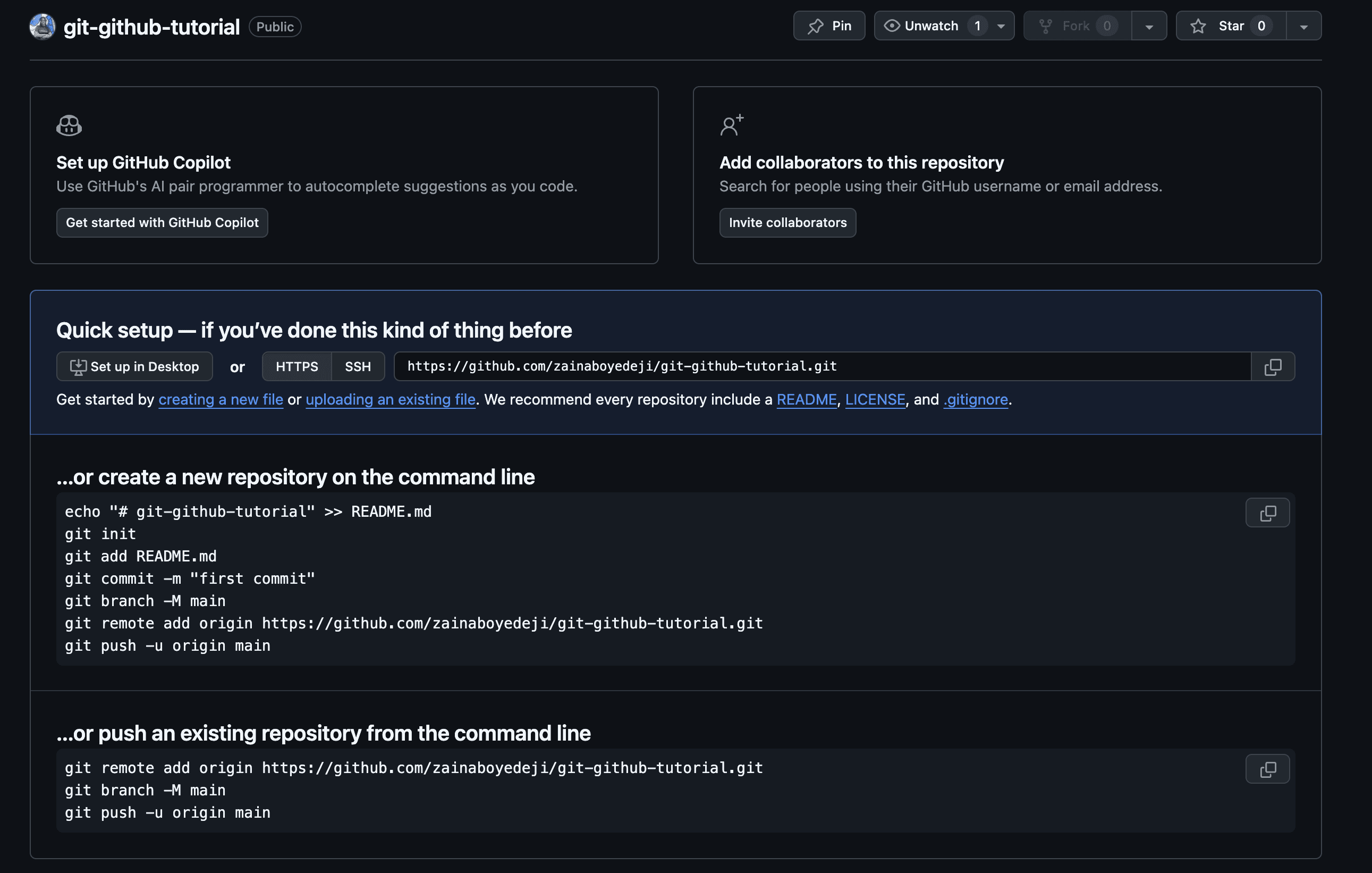
If you have an existing project, navigate to its directory and initialize Git:
Then, connect it to your GitHub repository:
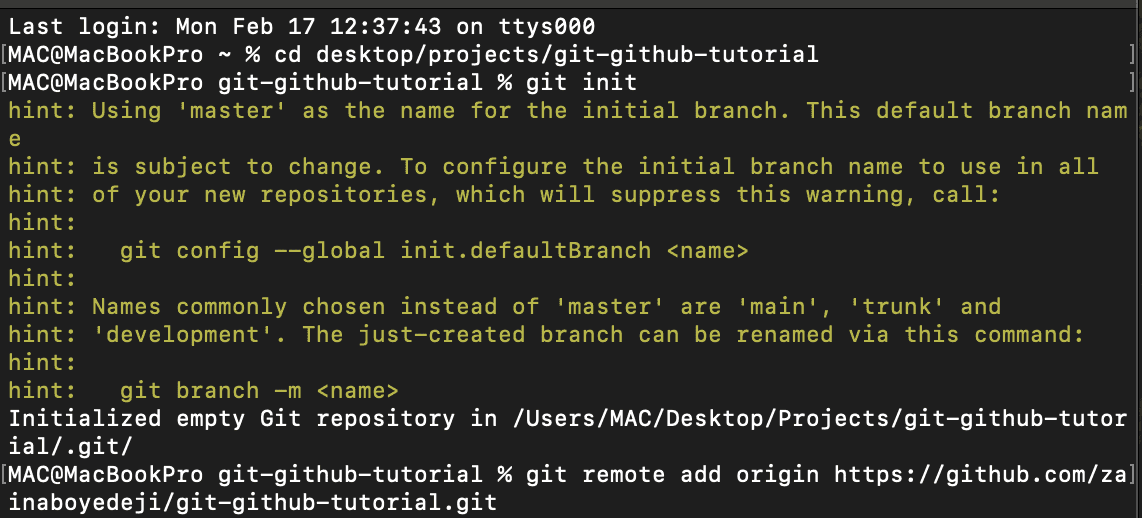
a. Add all files to the staging area:
b. Commit the changes:

c. Push to GitHub:
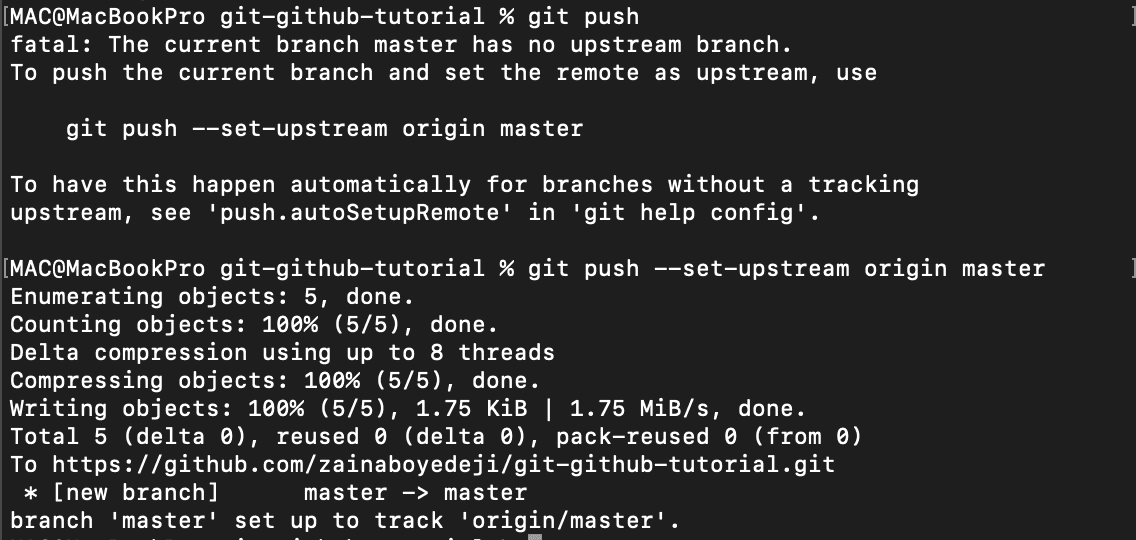
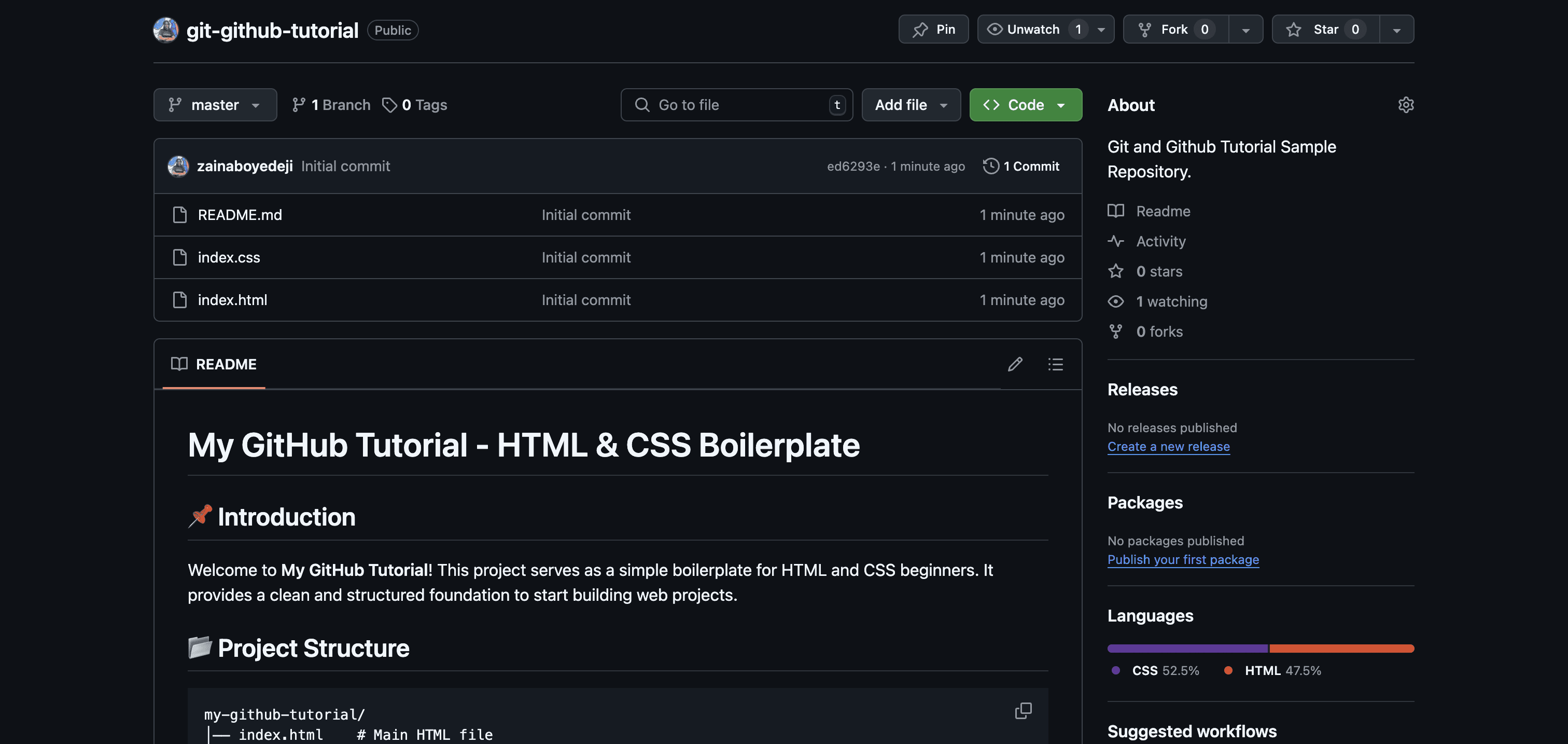
d. Your new repository will contain your initial commit, just like the screenshot below.
a. Create a Branch
This ensures that changes are made separately without affecting the main branch.

b. Make Commits
Frequent commits help keep track of changes.

c. Push Your Branch to GitHub
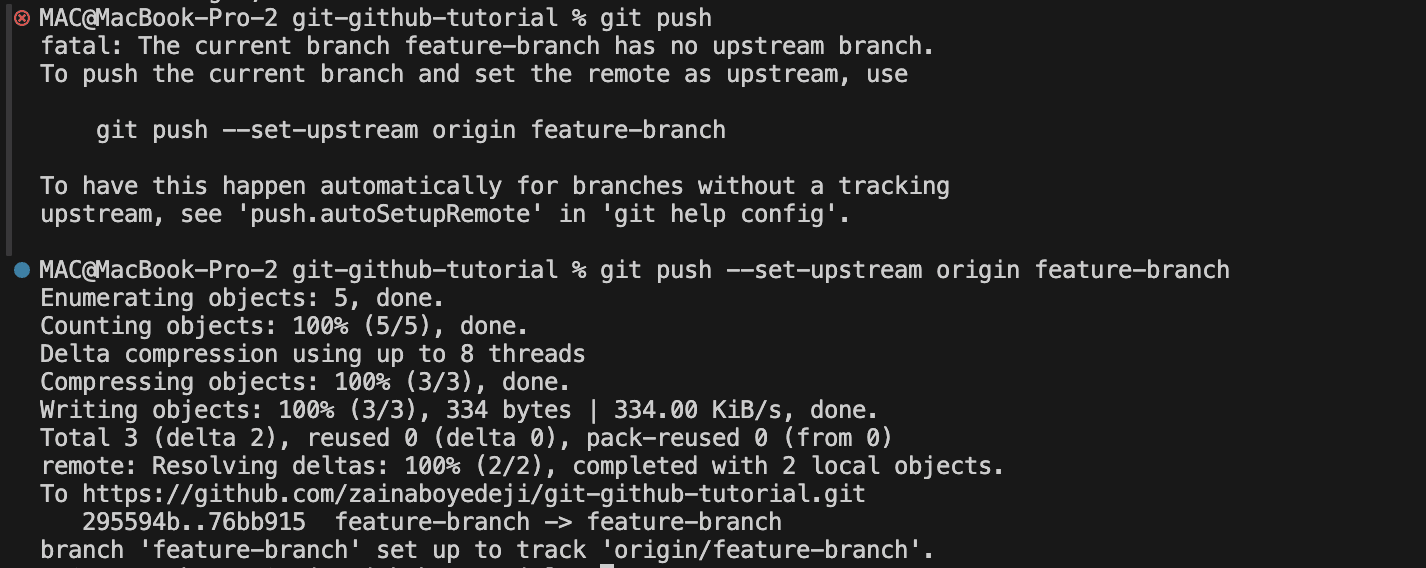
d. Open a Pull Request
On GitHub, navigate to your repository and open a Pull Request (PR). Add a description and request reviews.
a. Click on the New Pull Request button
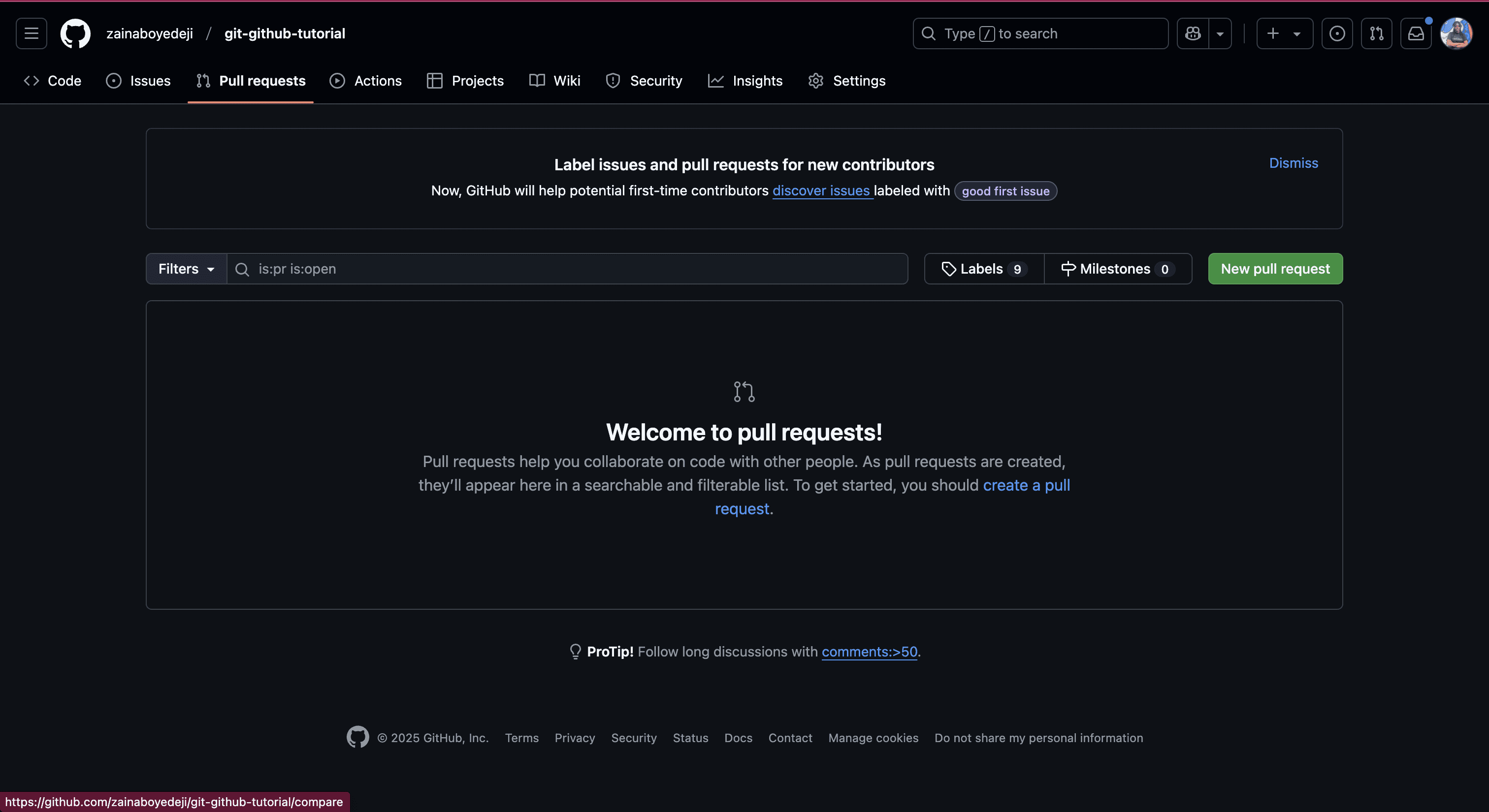
b. Select the branch you want to compare against the main branch, then click on 'Create Pull Request' button.
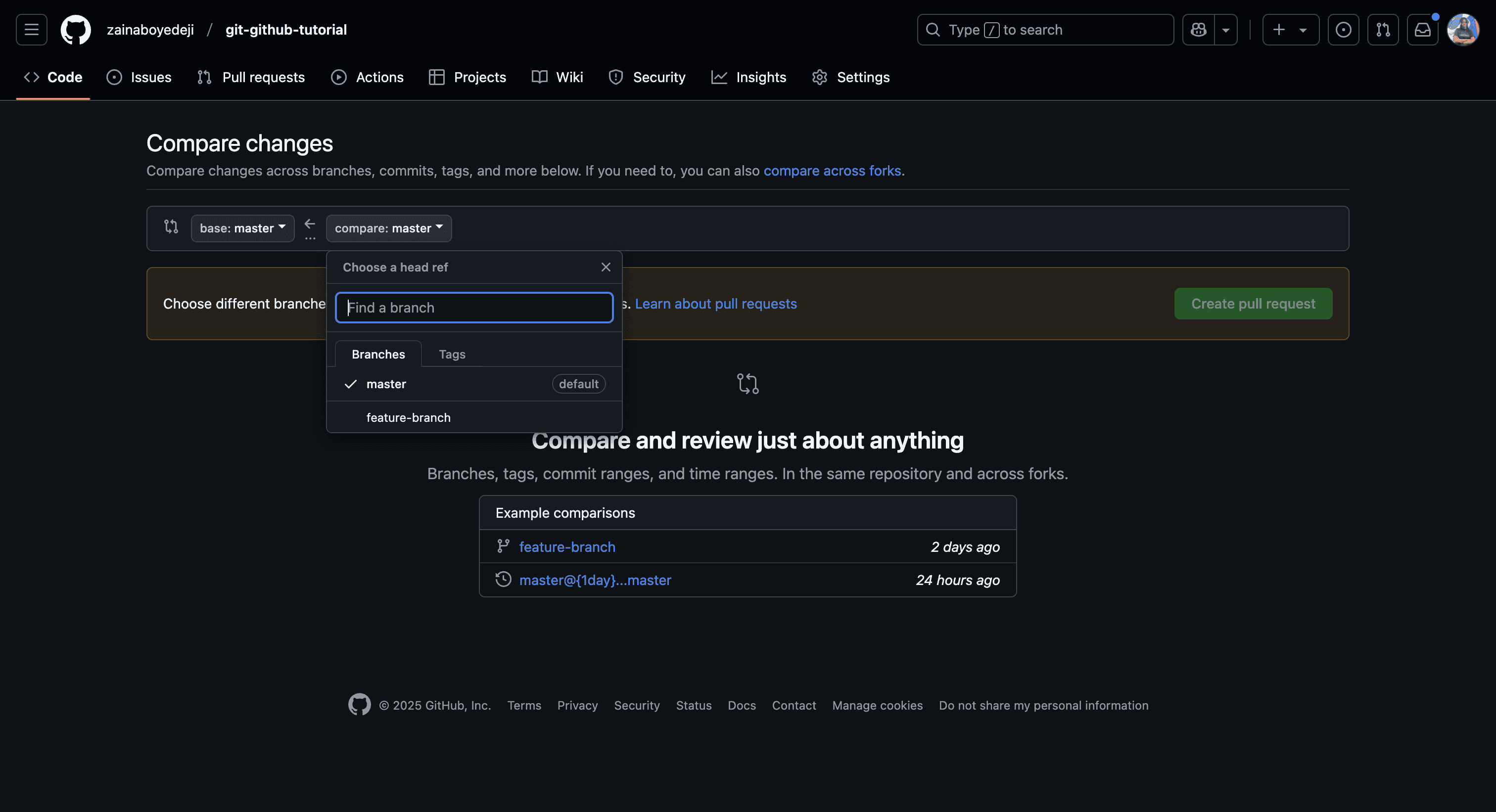
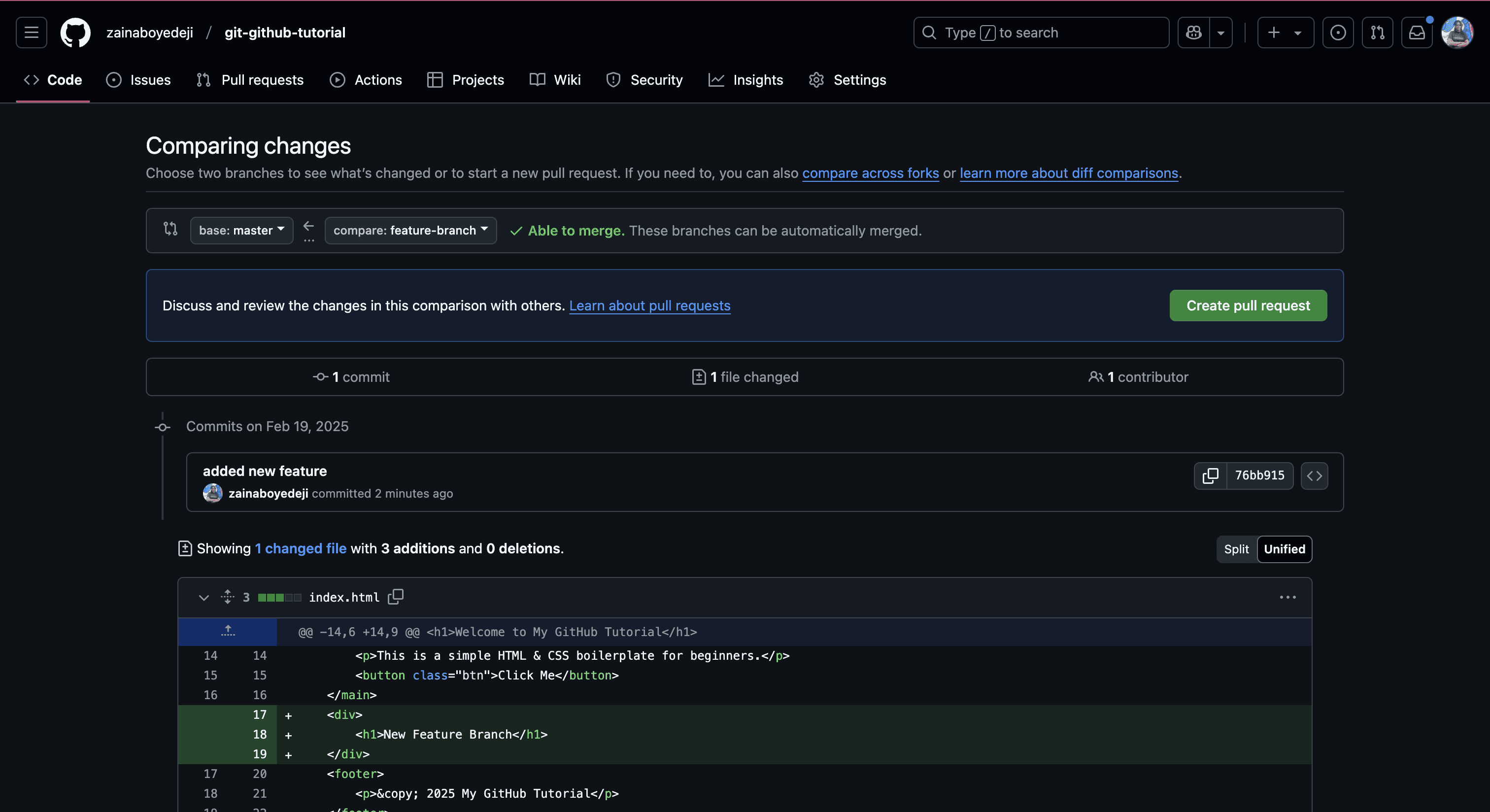
c. Add an appropriate description to your PR explaining the changes made in that branch, then click on the 'Create Pull Request' button.
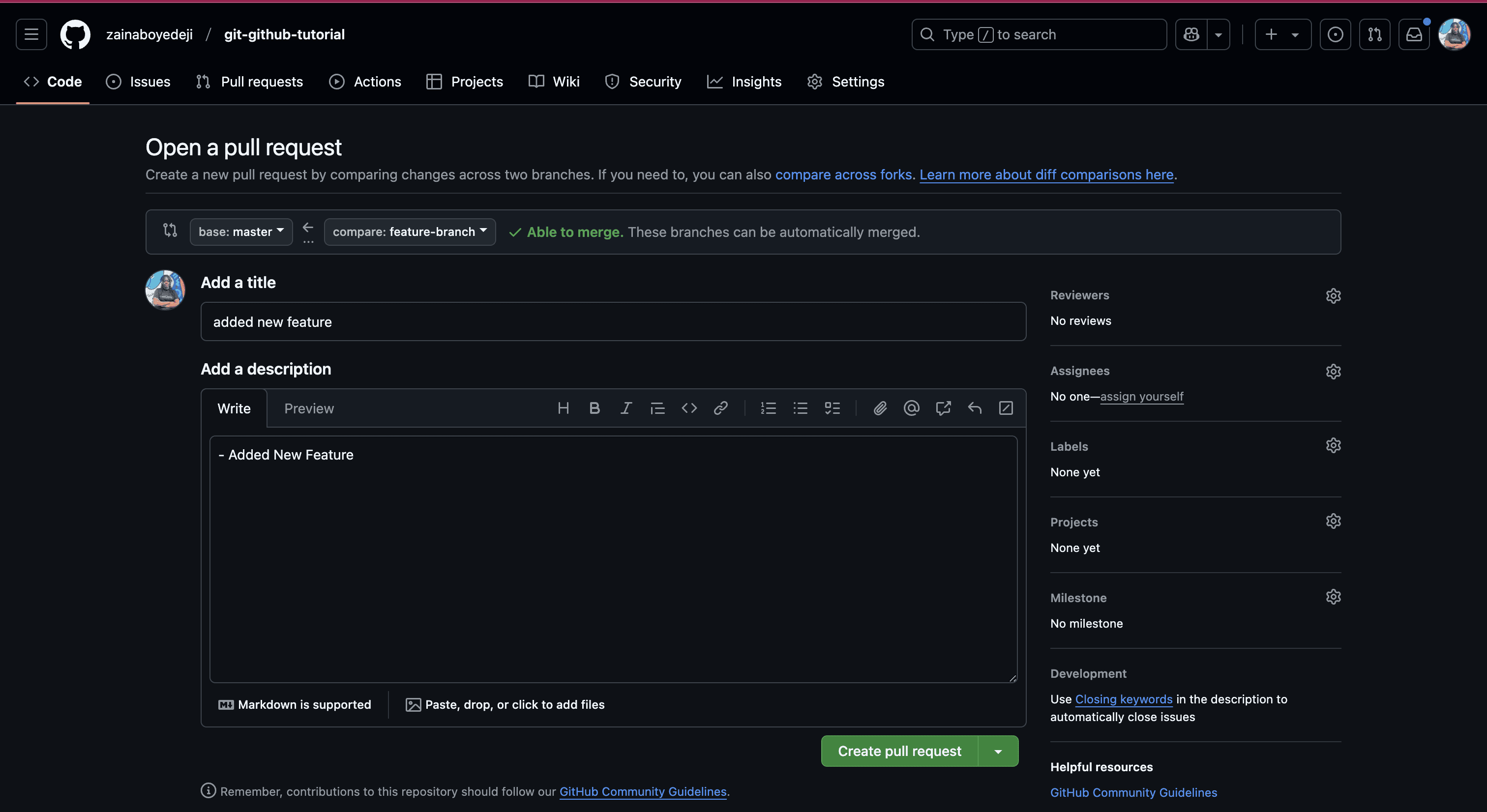
d. You are then directed to this page, where you can review the changes and click on 'Merge Pull Request' once you're done.
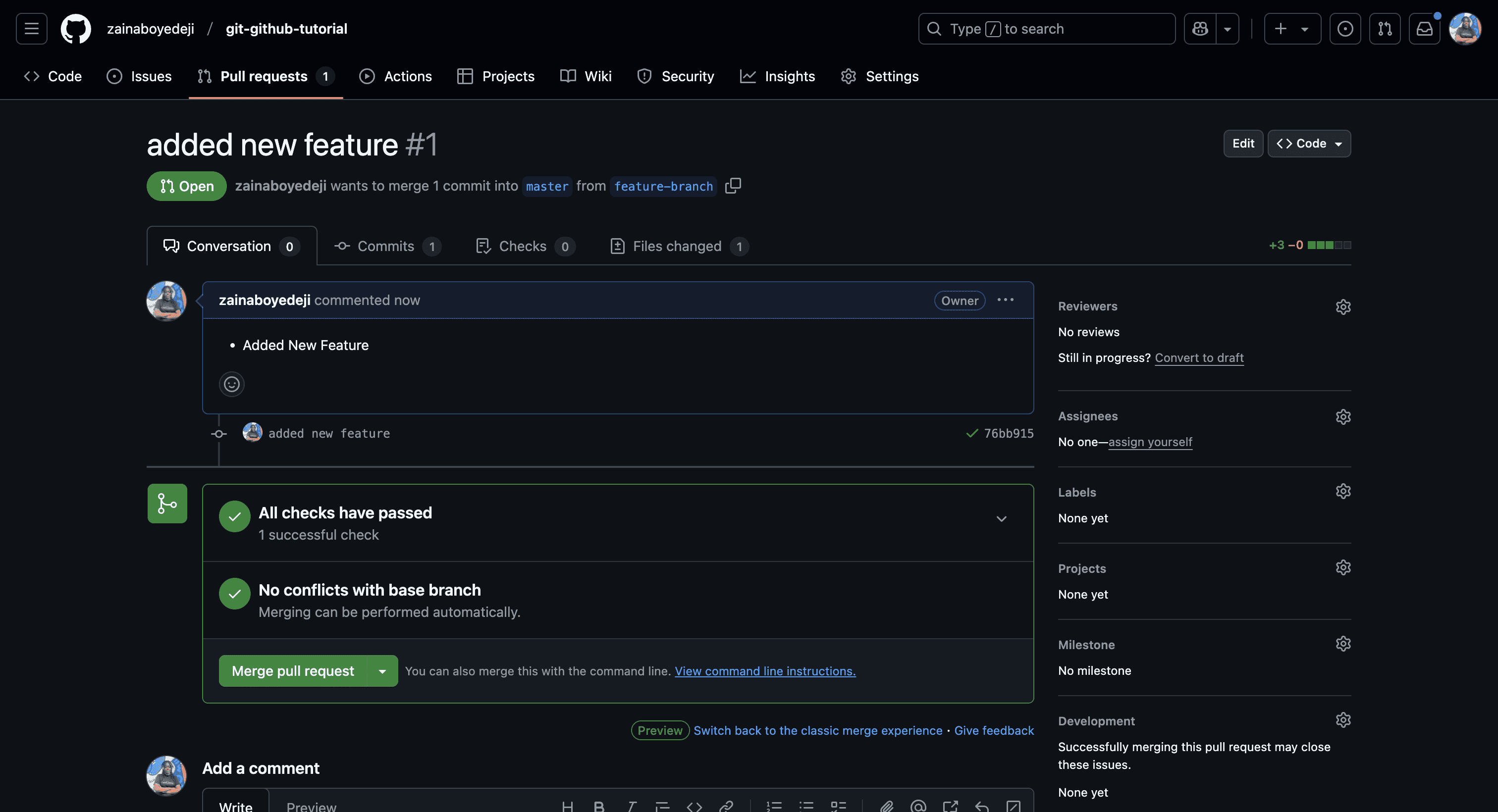
e. You review before merging, ensuring all checks have passed and there are no conflicts.
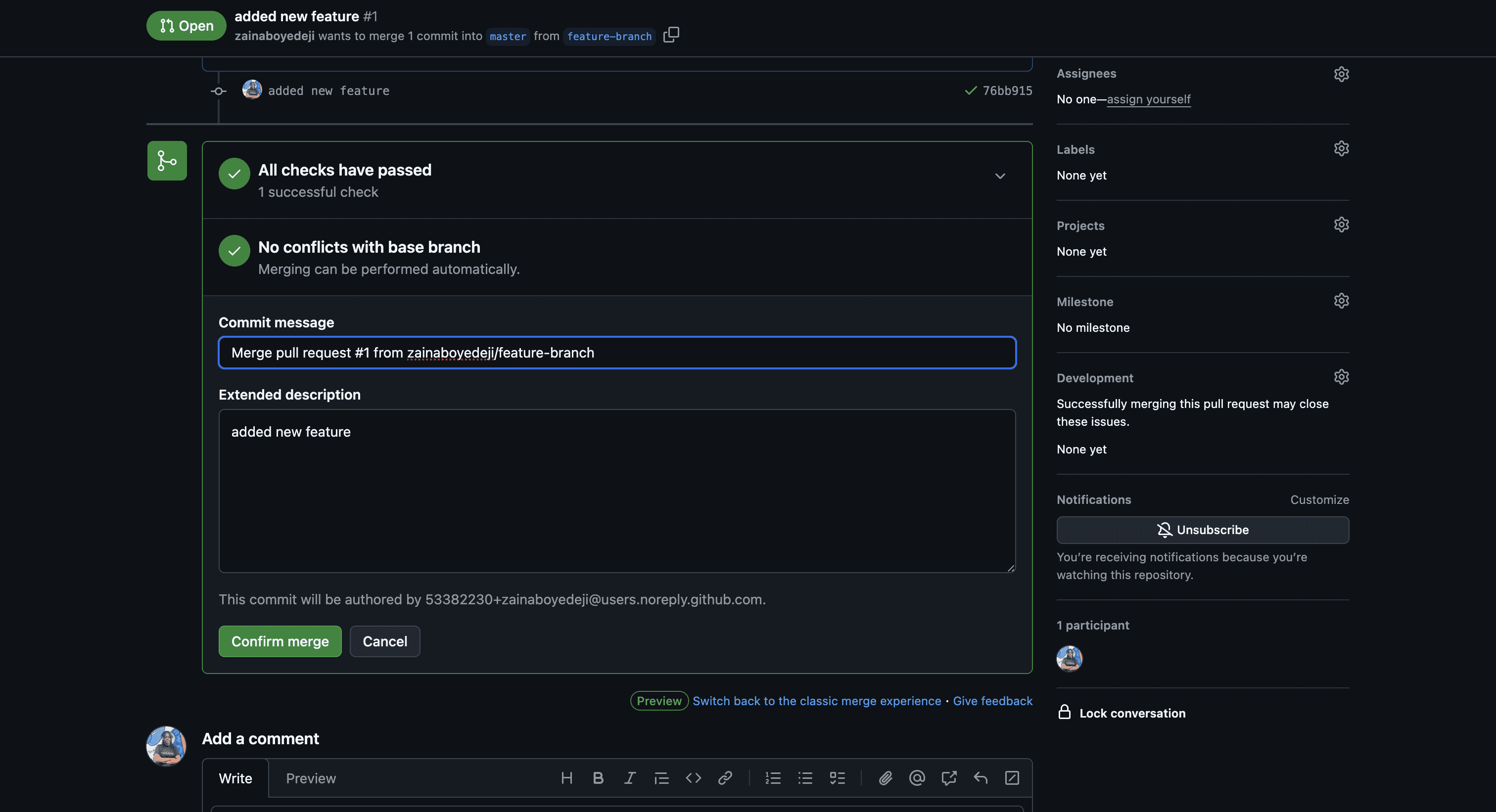
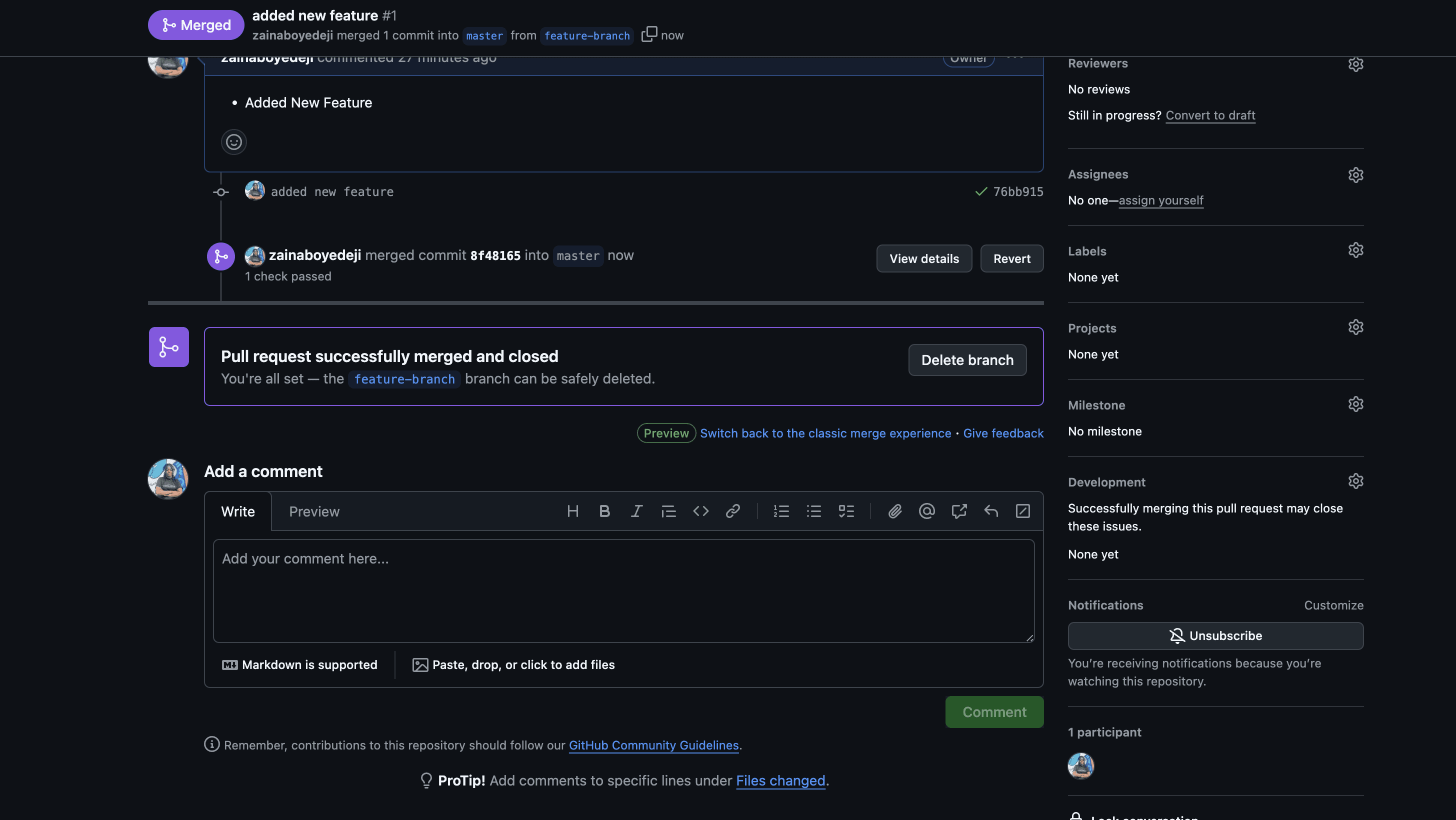
f. The pull request has been successfully merged.
Rebasing moves or combines commits to a new base, making your commit history cleaner.
If conflicts arise when merging, Git will notify you. Open the conflicting files, make necessary changes, then:
Fork a repository on GitHub.
Clone your forked repo:
Make changes and push them.
Open a pull request to contribute.
If you want to dive deeper into Git and GitHub, here are some helpful courses and articles:
Git Documentation – Official GitHub documentation to help you get started.
An Ultimate Guide to Git and GitHub – Comprehensive guide on GeeksforGeeks.
Introduction to GitHub – Learn the basics of GitHub.
The Beginner's Guide to Git & GitHub – A beginner-friendly guide from freeCodeCamp.
Git and GitHub for Beginners - Crash Course – A free crash course from freeCodeCamp.
Git Documentation – Official Git documentation for in-depth learning.
Git and GitHub are powerful tools that streamline version control and collaboration. Whether you're working on personal projects or contributing to open-source, mastering Git and GitHub will significantly improve your development workflow.
Found this helpful?
Consider sharing it with your network!
If you spot any errors or have suggestions for improvement, feel free to leave a comment below.
Happy coding! 🚀